
22 Xero Features SMEs Rely on for Seamless Operations
Finance teams in Small and Medium-Sized Enterprises juggle scattered workflows, manual reconciliation, and delayed reporting—Xero features solve this instantly.
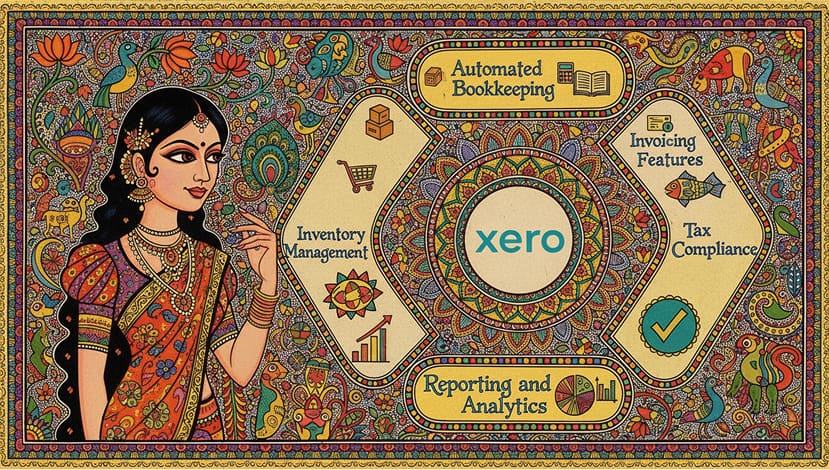
Xero features for Small and Medium-Sized Enterprises simplify finance operations—automated invoicing, real-time reporting, multi-currency bookkeeping, and seamless collaboration.
Picture your global finance team working effortlessly—approvals flowing instantly, cash flow visible in real-time, and errors minimized. Xero bookkeeping features save hours weekly, while invoicing features accelerate payments.
With cloud accounting for Small and Medium-Sized Enterprises, tax compliance is stress-free, inventory management precise, and budgeting smarter. This guide explores all 22 Xero features—explaining what each does, why it matters, and how your business can implement them to streamline operations, reduce errors, and grow smarter, faster, and globally.
22 Xero Features Small and Medium-Sized Enterprises Rely On
1. Automated Bookkeeping
- Auto-import bank transactions and categorize them.
- Reconciliation is automated, saving hours.
- Supports multi-currency accounting for global operations.
2. Invoicing Features
- Generate professional invoices in seconds.
- Recurring invoices with automated reminders.
- Track payments in real-time, reducing errors.
3. Tax Compliance
- Automates VAT, GST, and regional taxes.
- Built-in checks ensure compliance.
- Simplifies audits and minimizes risk.
4. Reporting and Analytics
- Real-time dashboards for cash flow and revenue.
- Customizable reports for KPIs and operational insights.
- Supports data-driven decisions.
Powerful BI Add-ons That Turn Xero Data Into Growth Insights – to transform accounting data into visual dashboards and performance analytics.
Smart Reporting Add-ons for Xero to Drive Data-Backed Decisions — enhance financial visibility, automate KPI tracking, and create actionable reports.
5. Inventory Management
- Track stock across multiple locations.
- Automate purchase orders.
- Integrated reporting with accounting data.
Top Xero Inventory Add-ons to Simplify Stock Control and Sales Sync — track product movement, manage stock levels, and optimize supply chains.
6. Collaboration Tools
- Cloud-based access for multiple users.
- Approvals and workflows managed anywhere.
- Keeps finance teams and accountants aligned.
7. Automation Tools & Add-Ons
- Integrate payroll, CRM, and e-commerce tools.
- Automate repetitive finance tasks.
- Tailor modules to business needs.
Top Xero Payroll Integrations That Simplify HR and Compliance — to automate payroll, manage employee data, and ensure effortless tax compliance.
8. Expense Management
- Capture receipts with mobile app.
- Auto-categorize and track expenses in real-time.
- Streamlined manager approvals.
Best Xero Expense Management Add-ons to Eliminate Manual Reconciliation — to streamline business expenses, automate approvals, and sync transactions seamlessly with Xero.
9. Project Accounting
- Monitor costs per project.
- Allocate resources efficiently.
- Track project profitability.
10. Bank Reconciliation & Payments
- Automatic reconciliation of bank accounts.
- Process payments directly in Xero.
- Minimize errors and save time.
Checkout Best Payment Integrations for Xero to Get Paid Faster — simplify invoicing, automate payment collection, and reduce reconciliation errors.
11. Budgeting & Forecasting
- Set budgets and track variances.
- Forecast cash flow and resource allocation.
- Improve planning and growth accuracy.
Checkout Top Budgeting and Cash Flow Add-ons to Stay Financially Agile in Xero
— simplify cash flow, plan budgets, and make informed business decisions.
12. Fixed Asset Management
- Track assets and depreciation.
- Generate audit-ready reports.
- Efficiently manage investments.
13. Cash Flow Management
- Monitor inflows and outflows.
- Visual dashboards for liquidity insights.
- Identify gaps before they impact operations.
Wanna know how to manage cash flow basics, checkout our quick post on How Small Businesses Can Maintain Financial Stability Year-Round.
14. Mobile Accounting
- Access dashboards and approve invoices anywhere.
- Snap receipts on the go.
- Keep remote teams connected.
15. Client & Supplier Management
- Store client and supplier data securely.
- Track transactions in one place.
- Simplify global supplier coordination.
16. Multi-Currency Accounting
- Handle 160+ currencies automatically.
- Accurate reporting across borders.
- Ideal for international businesses.
As your business crosses borders, managing multiple currencies shouldn’t slow you down. Xero’s multi-currency accounting feature automates conversions, reconciliations, and real-time reporting — so your global transactions stay seamless and stress-free.
Dive deeper into how this capability empowers international growth in our dedicated guide: Scale Without Borders: How Xero Simplifies Multi-Currency Accounting for Modern Entrepreneurs
17. Audit & Compliance Tracking
- Automatic audit trails for every transaction.
- Ensure regulatory compliance.
- Reduce risk during financial reviews.
18. Customizable Workflows
- Tailor approvals for invoices, bills, and expenses.
- Automate repetitive processes.
- Streamline team operations.
19. Integration with External Apps
- Connect payroll, CRM, analytics, and e-commerce.
- Centralize finance operations.
- Reduce data silos.
Xero eCommerce Add-ons to Sync Orders, Invoices, and Inventory in Real-Time — explore the leading integrations built to streamline online orders, automate invoicing, and maintain real-time stock accuracy.
20. Document Management & Storage
- Store invoices, receipts, and contracts securely.
- Attach documents to transactions.
- Easy retrieval for audits and reporting.
21. Notifications & Alerts
- Automated reminders for unpaid invoices.
- Alerts for low cash balances or overdue bills.
- Keeps teams proactive.
22. Dashboard Customization
- Personalize dashboards per user role.
- Highlight critical KPIs.
- Real-time insights at a glance.
If you’re looking to take your Xero setup even further, here’s a guide that helps you cut more manual work and automate the tasks slowing your team down.
Best Automation Add-Ons to Supercharge Xero Efficiency — a simple breakdown of the tools that eliminate repetitive tasks, connect your apps, and keep your finance workflows running smoothly in the background.
Conclusion
These 22 Xero features Small and Medium-Sized Enterprises rely on deliver clarity, efficiency, and control—across bookkeeping, invoicing, tax, inventory, reporting, payroll, and collaboration.
Start optimizing your finance operations today—book a free consultation to implement Xero features for Small and Medium-Sized Enterprises and scale your business globally with confidence.

