
Common Payroll Mistakes SMEs Make and How to Avoid Them
Payroll mistakes start small—wrong rates, missed details, late updates; left unchecked, they turn into costly issues SMEs can easily prevent.
A payroll mistake doesn’t look serious at first — a missed rate, a wrong detail, a late update. But these small slips can quietly grow into compliance issues, extra costs, and frustrated employees. For busy small businesses already juggling cash flow and deadlines, payroll problems often show up when everything else is already demanding attention.
One cafe owner shared how a simple leave miscalculation — caused by selecting the wrong employment type — cost two weekends of fixing records. The ATO makes it clear: inaccurate employee data, weak payroll governance, and late submissions increase the chance of compliance action, penalties and interest.
Read more: Xero Payroll Setup & Guides
- The Ultimate Guide to Xero Payroll for Small Businesses
- How to Set Up Xero Payroll for Your Small Business
- Running Your First Payroll in Xero: Tips for Accuracy
- Automating Payroll Calculations in Xero: Step-by-Step
- Processing Employee Leave, Overtime, and Bonuses in Xero Payroll
Here are the payroll mistakes SMEs encounter most — and how to avoid them with confidence.
1. Incorrect Employee Setup
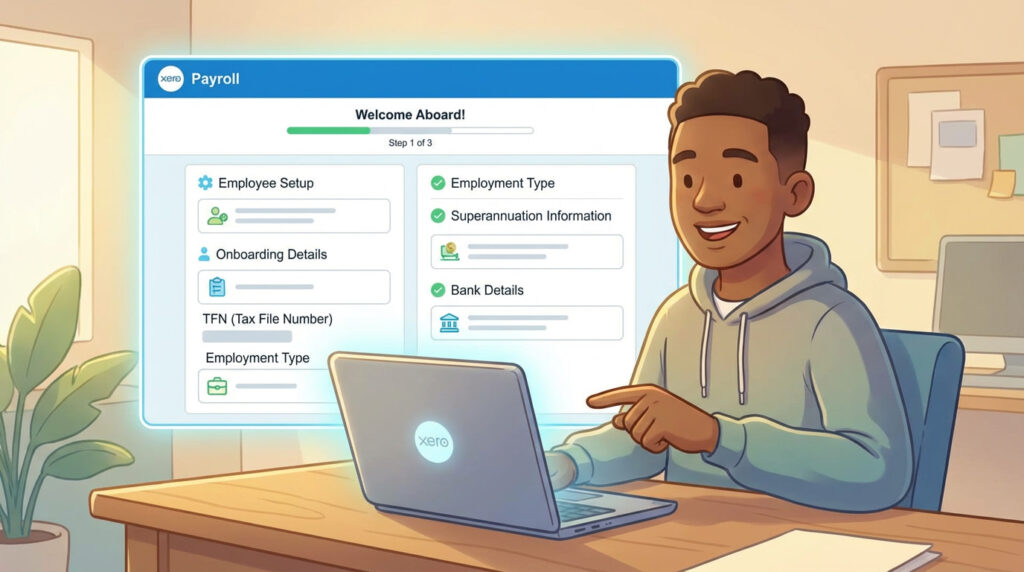
Rushed onboarding leads to missing TFNs, wrong employment types, and inaccurate leave accruals — all of which affect employee trust and payroll accuracy.
A creative agency discovered one team member had been accruing leave incorrectly for months because they were marked as part-time instead of casual.
How to avoid it
- Collect complete onboarding details before the first shift
- Confirm TFN, bank details, super choice
- Select correct employment type and rate in Xero
- Review the setup before the first pay run
2. Misclassifying Employees and Contractors
Confusing employees with contractors is common — and costly. Misclassification affects super, PAYG withholding and STP reporting.
A trades business later learned their “contractor” met all criteria of an employee, which resulted in years of back-pay and super adjustments.
How to avoid it
- Use the ATO’s classification tools
- Review actual work arrangements
- Update Xero as soon as circumstances change
- Seek guidance if uncertain
3. Wrong Pay Rates and Award Interpretation
Awards update often. Missing a rate change or misreading a rule can cause underpayments or overpayments.
A hospitality manager once updated only Saturday penalty rates, forgetting Sunday for one employee — leading to weeks of corrections.
How to avoid it
- Monitor Fair Work changes
- Update pay templates consistently
- Run monthly checks on pay items
- Seek help for complex award setups
4. Incorrect or Missed Superannuation Payments
Super issues remain one of the most common payroll problems. Late or incorrect payments can lead to ATO penalties and interest.
How to avoid it
- Follow quarterly deadlines
- Confirm OTE classifications
- Use Xero’s auto-super to reduce misses
- Reconcile contributions monthly
Read more: Payroll Compliance & Mistakes
- Top 5 Payroll Mistakes Small Businesses Make and How Xero Solves Them
- Payroll Compliance Nightmares and How Xero Prevents Them
- Common Payroll Mistakes SMEs Make and How to Avoid Them
5. Late or Incorrect STP Reporting
STP isn’t always automatic — failed submissions, duplicates, or missed corrections can create mismatches with the ATO.
A retail owner once learned that three months of STP submissions had silently failed due to an authentication issue.
How to avoid it
- Check STP status every pay run
- Correct rejected submissions immediately
- Match Xero totals with ATO records
- Reconcile STP monthly
6. Poor Record-Keeping
Handwritten timesheets, text messages, or missing documents create payroll blind spots.
A construction business once had to rebuild months of records during an audit because nothing was documented properly.
How to avoid it
- Use digital timesheets
- Store contracts and pay changes securely
- Keep onboarding documents organised
- Verify records monthly
7. Not Reconciling Payroll Regularly
If people are paid, many assume payroll is correct — but payroll must reconcile with multiple systems.
A marketing agency found a duplicate pay run three months after it hit their bank account.
How to avoid it
- Reconcile payroll monthly
- Match super and payroll totals
- Review leave balances quarterly
- Compare GL vs payroll summary reports
8. Using Manual Processes Instead of Automation
Manual calculations and spreadsheets increase error risk. Many SMEs still don’t use the automation already built into Xero.
How to avoid it
- Use pay templates
- Automate leave accruals
- Enable auto super
- Set reminders for deadlines
- Standardise common pay items
Read more: Payroll Management & Optimization
- Cash Flow Risks from Poor Payroll Management and How to Fix Them
- Employee Payment Errors: Why They Happen and How Xero Fixes Them
- Xero Payroll vs Other Payroll Software: Which is Best for SMEs?
- In-House Payroll vs Outsourced Payroll: Pros, Cons, and Xero Benefits
- Cost of Payroll Errors vs Investing in Payroll Services
- Why SMEs Choose Xero Payroll Over Manual Accounting
- Monthly Payroll Checklist for Small Businesses Using Xero
- 7 Payroll Reports Every SME Should Track in Xero
- Automated Payroll Tasks You Can Implement in 30 Minutes
Conclusion
Payroll doesn’t need to be stressful. With the right habits — cleaner data, clear classifications, regular checks, and automation — SMEs can prevent costly mistakes and build a reliable, compliant payroll process that supports both the business and its people.
Pick one improvement to implement this week — small changes lead to a calmer, clearer payroll system over time.

